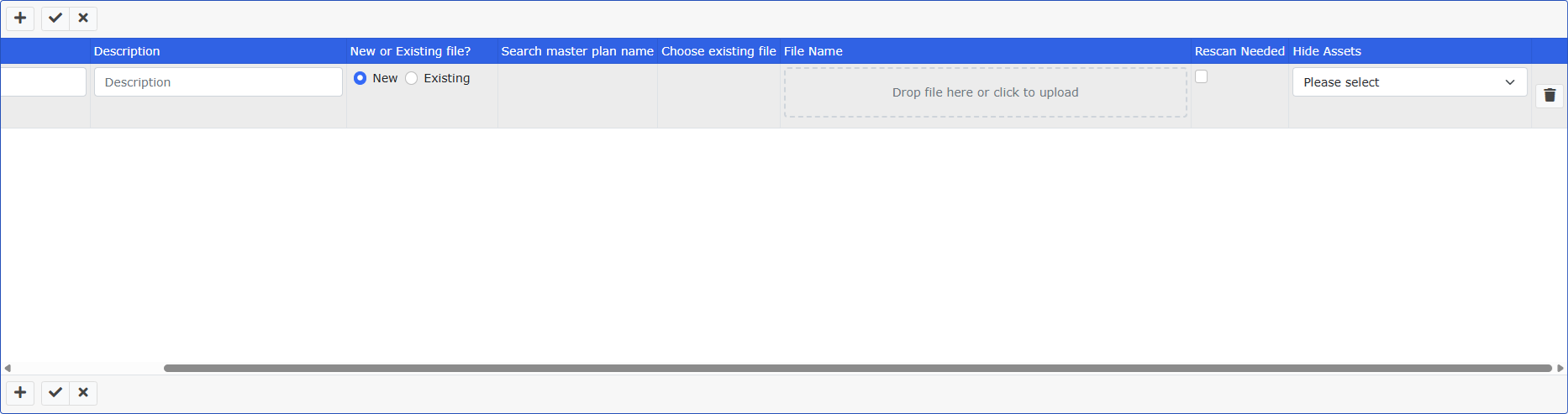
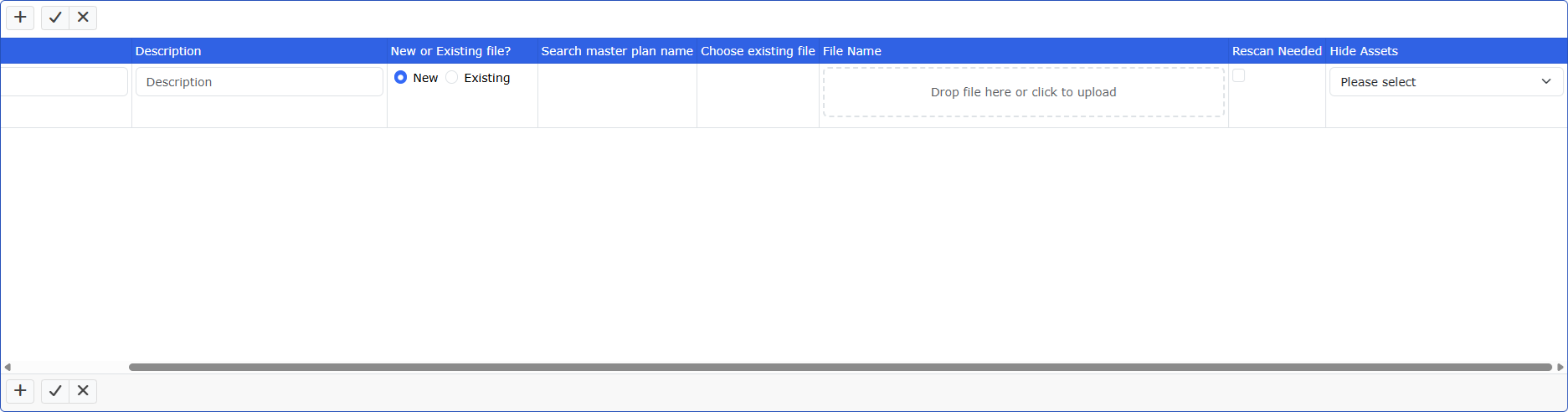
In v2026.4, it seems that the Delete button (trash can) is missing on the Grid Add or Master/Detail Add pages if the Delete page is not enabled, or if the user does not have Delete permission to the table/view. It deletes unused blank rows or unneeded rows that have not been added to the database yet, so there is no need for the user to be able to delete from the table or view to use it, and it does not use the delete page.
In v2022, the delete button would always appear on the Grid Add or Master/Detail Add pages as I would expect. Some of those buttons are being removed when we upgrade, on the tables that users should not delete from, but it's always OK to use the Grid Add delete.
I noticed the old 2022 version had security turned off, so I turned off security in the 2026 project to match. The result is the same, the Delete button for the temporary on-screen rows no longer appears in 2026.
I assume because of the complex items in the detail row, it will not save if there are any rows not filled out, so the users need to be able to delete unused rows from the screen. We do not want them to delete actual saved records from the database, so we did not check the box for Delete page. It could be an option to generate the Delete page but deny users permission, but that setup still hides the Delete button for unused rows in v2026. Was this supposed to change at some point since it worked well in v2022?