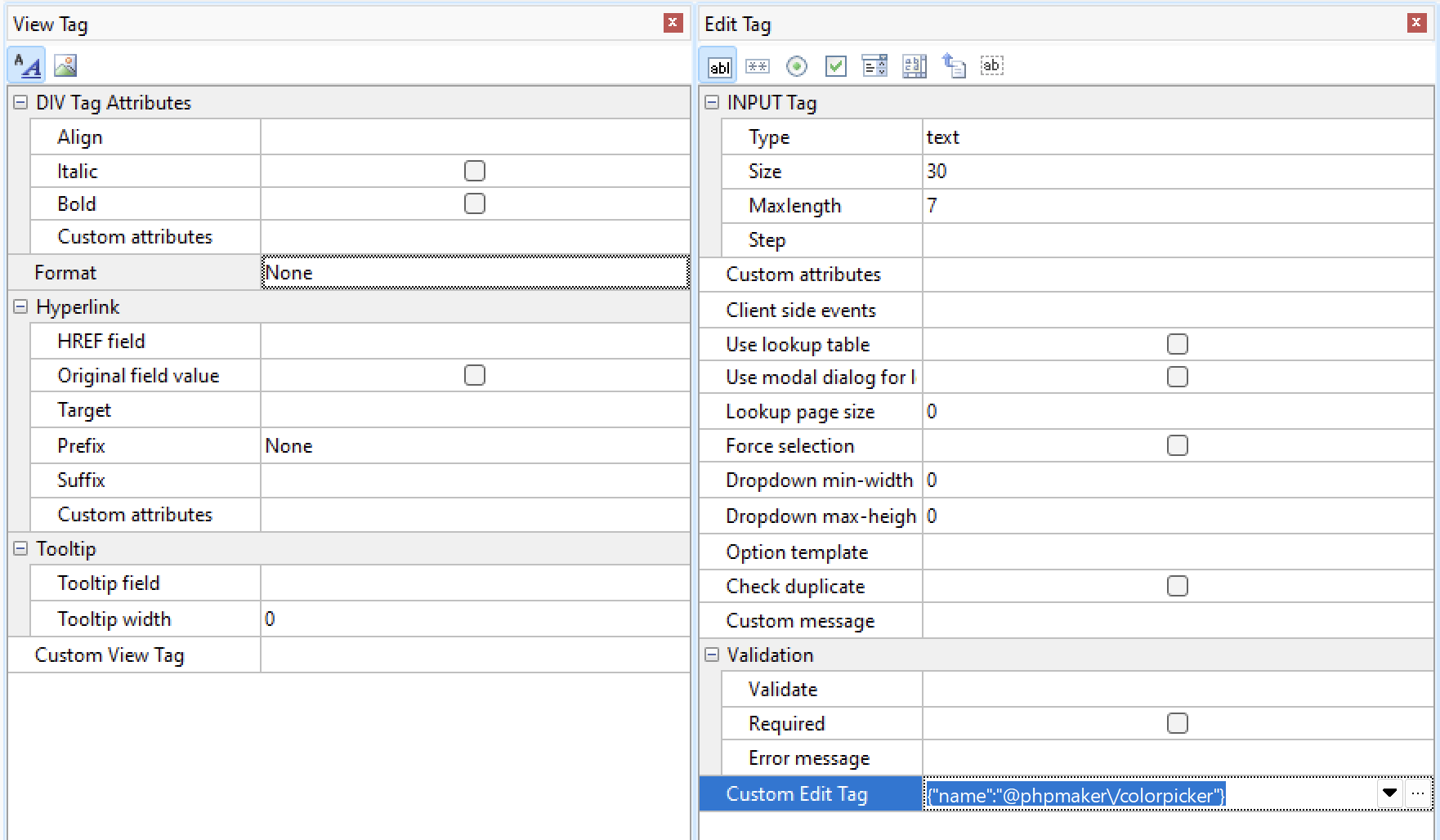
I am desperately trying to create a color picker field.
The field is a VARCHAR(7) field.
I have “Custom Edit Tag” set to {"name":"@phpmaker/colorpicker"} by using the dropdown and setting “@phpmaker/colorpicker” to “Enabled”.
The field is no shown as text field with #000000 in it and it no longer can be changed. But no color picker..
What else do I need to do?
Thank you for checking. Unfortunately it still doesn’t work.
I now did the following:
1. Created a new database with just one single table:
CREATE TABLE `colors` (
  `color_id` int(11) NOT NULL,
  `color_value` varchar(7) DEFAULT NULL
) ENGINE=InnoDB DEFAULT CHARSET=utf8mb4 COLLATE=utf8mb4_general_ci;
2. Created a new PHPMaker 2026 project and connected it to the database
3. Changed “Custom Edit Tag” to {"name":"@phpmaker/colorpicker"}
Generated it to a new directory. When I open it in Firefox or Chrome I get the following error:
Uncaught TypeError: this.popoverTarget.popover is not a function
    at e.value (bootstrap-colorpicker.js:4188:26)
    at e.value (bootstrap-colorpicker.js:4078:14)
    at e.value (bootstrap-colorpicker.js:2965:25)
    at new e (bootstrap-colorpicker.js:2926:10)
    at HTMLInputElement.<anonymous> (bootstrap-colorpicker.js:2678:14)
    at T.each (jquery.min.js?v=26.4.0:2:2874)
    at T.each (jquery.min.js?v=26.4.0:2:1384)
    at i.default.fn.<computed> [as colorpicker] (bootstrap-colorpicker.js:2671:24)
    at ColorsAdd:266:59
    at Object.on (ewcore.min.js?v=26.4.1:7:7589)
What else can I do to fix this?
I am literally just creating a new PHPMaker project and only do these steps:
- Connect it to the database
- Clicking the dropdown besides “Custom Edit Tag” to enable @phpmaker/colorpicker in the “Edit Tag”
- Generating the project
Would maybe somebody be so kind to test this out – if you’re getting the same result as I do?
Bootstrap relies on "DOMContentLoaded" to add the jQuery plugin for popover, that may be too late if you have only a few fields in the table.
In addition, Bootstrap Colorpicker is old and is still using jQuery plugin to create popover, so it cannot be create popover earlier until "DOMContentLoaded".
We have updated the extension to use Bootstrap to create popover directly without using jQuery plugin.
Click Tools -> Update Template and try again.
Works! Thank you very much!