Maps api -allow your location changes records location

Hi,
v2024.16

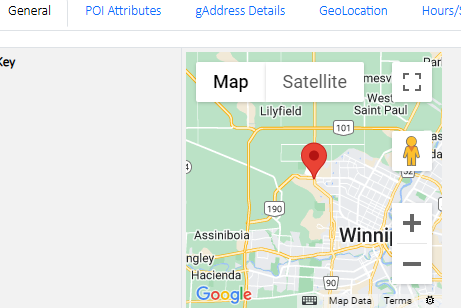
on a field for google maps, we went to view the record and the following appears as expected…
notice the map location – this is the correct location mapped as per the site information in the table

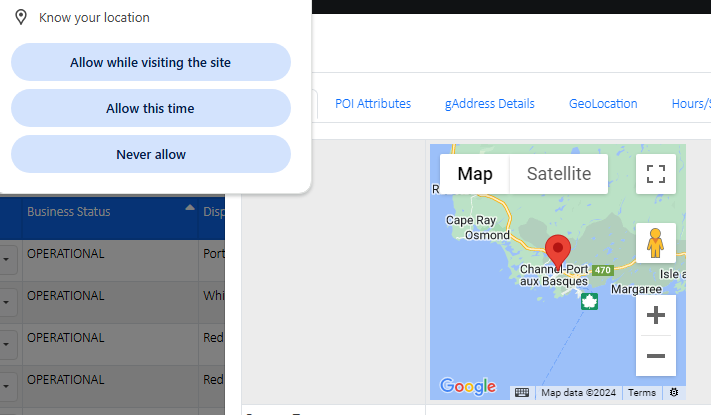
if you allow your location, the map in the view changes to your current location,as well as all the other records – displays your location and not that of the record.

now switched / location allowed

it doesn’t change it in the table, this is via the view option.

this is occuring if you have set view as modal, when switched to web page, all good.
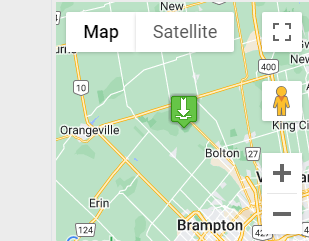
(web page view below example) correctly mapped

You may find many info on the internet. Google maps will not do that automatically on modal dialog open, triggering the “resize” event of Google maps is required. You may add some JavaScript in Startup Script to do that, e.g. (concept only, you may need to customize as needed)

$(document).on("map", (e, data) => google.maps.event.trigger(data.map, "resize"));

Hi,

i believe you misunderstood the issue…

when the view form with a google map item is displayed in a modal dialog, instead of showing the records map location, it shows “your current location”. the form first prompted to “user your location” permissions, after that the map showed my location

I cannot reproduce (with desktop and demo project by removing “Use single app” and enabling modal View page). What device and browser are you using? Some mobile device?
just tested… this is happening when you have custom code in the startup script in list page… it appears the script gets executed.

we have code in the startup script that marks the uses location…

$(document).on("map", (e, args) => {
            if (navigator.geolocation) {
                    const yah = document.createElement("img");
                    yah.src = "images/mapiconscollection-markers/you-are-here-2.png";
            
                    navigator.geolocation.getCurrentPosition(function(position) {
                        const latitude = position.coords.latitude;
                        const longitude = position.coords.longitude;
                        var myLatlng = new google.maps.LatLng(latitude, longitude);                                                    
                        var map = $("#mp_washrooms_id").data("map");
                        var marker = new google.maps.marker.AdvancedMarkerElement({
                            map,
                            position: { lat: latitude, lng: longitude },
                            title: "You are here...",
                            content: yah,
                        });                          
                        marker.setMap(map);
                        map.setZoom(9);
                        map.setCenter(marker.position);
                    });
            } else {
                console.log("Geolocation is not supported by this browser.");
            }        
    });        

appears its gettinig executed in the view page as well, changing the location of the map to the users current location…

Your code won’t work with View page because you used id to get the map by $("#mp_washrooms_id") which only returns the first map.