Pager Style for Project Created by v2025 and Then Opened in v2026

I found an issue regarding the Pager Style for the project file that created by PHPMaker v2025 and then opened by PHPMaker v2026.

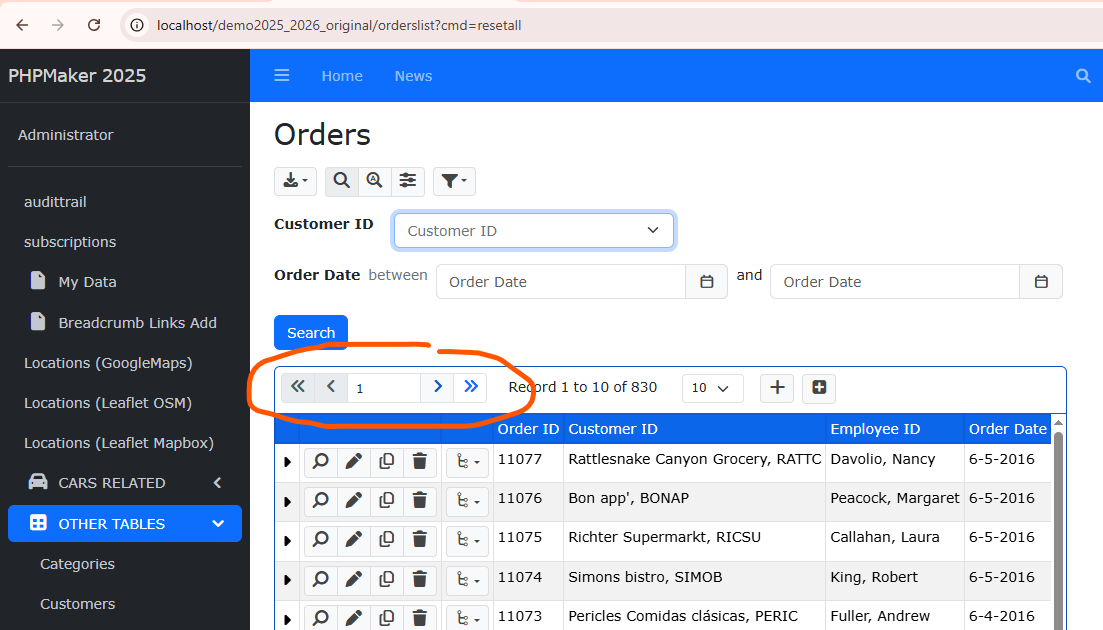
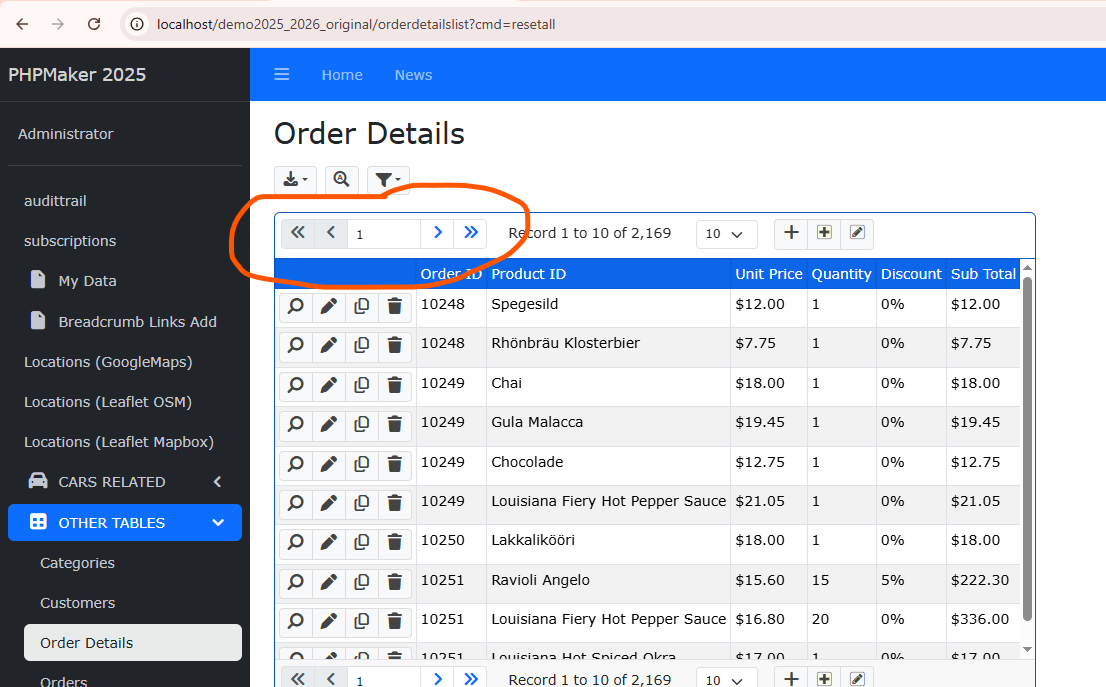
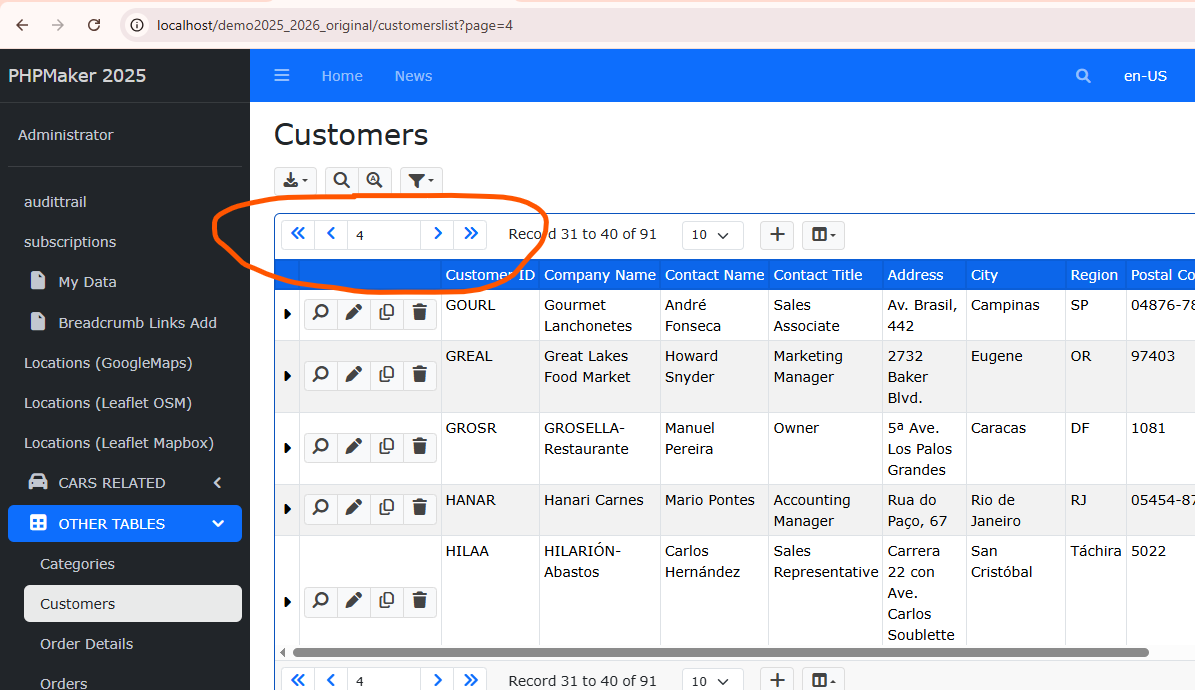
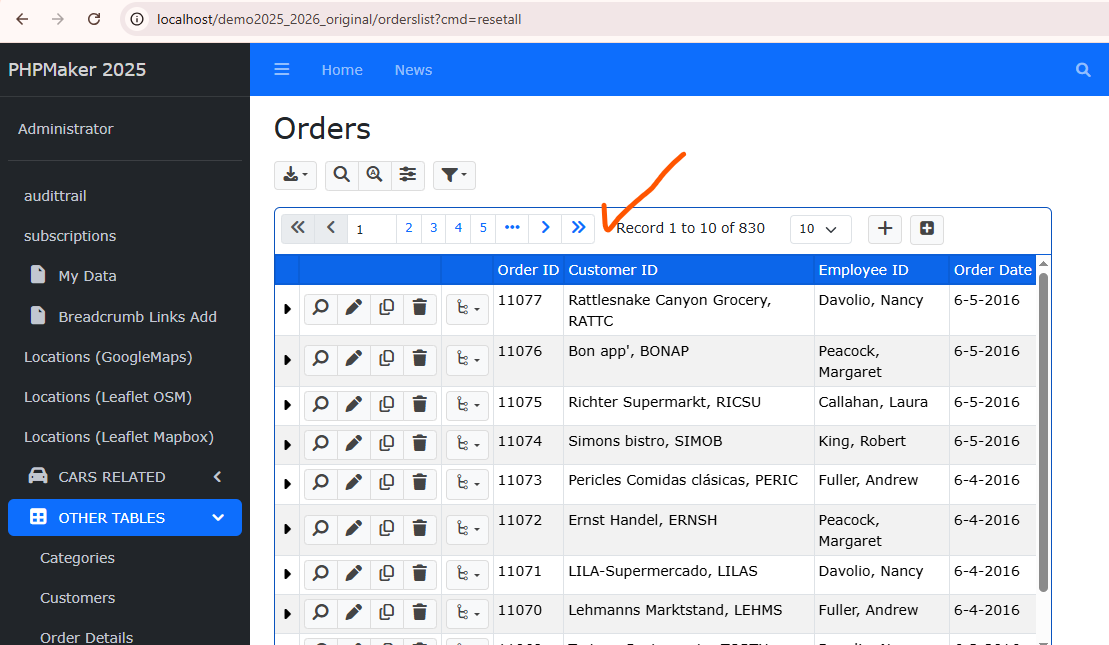
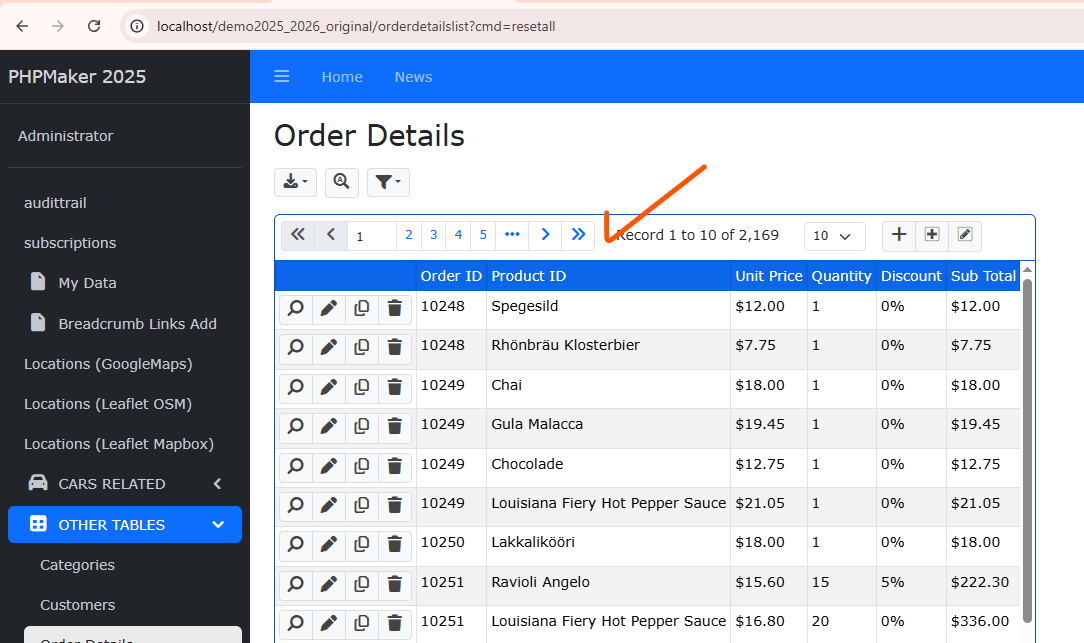
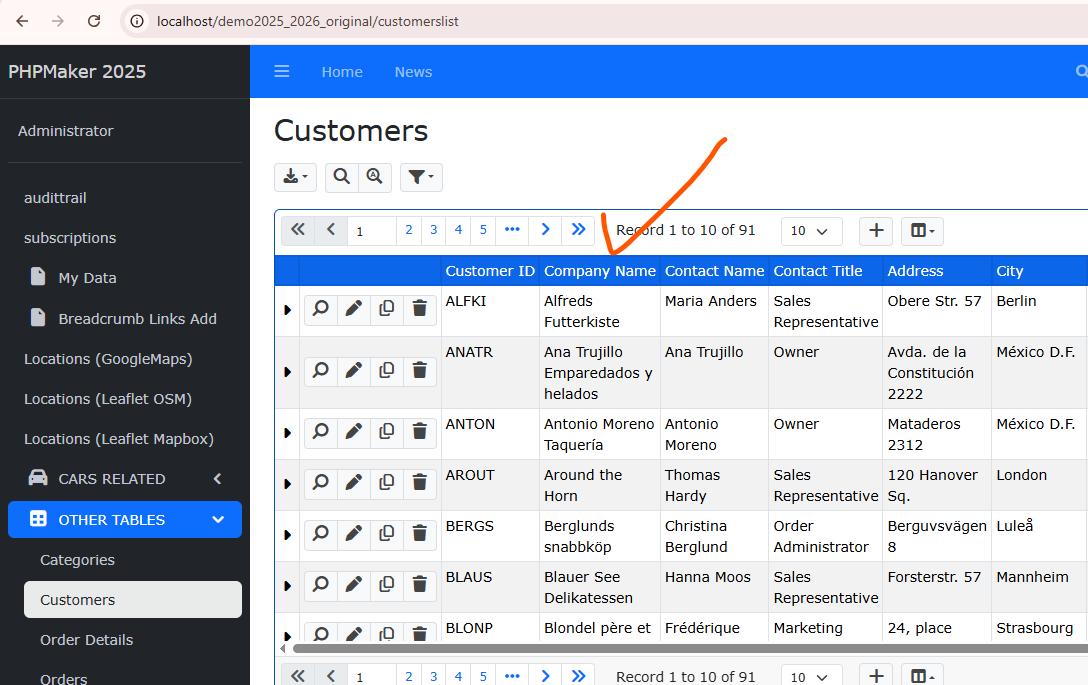
Let me show you the result by using some screenshots:

As you can see from three screenshots above (Orders, Order Details, and Customers pages), the Pager styles are NOT implementing from v2026’s Pager style.

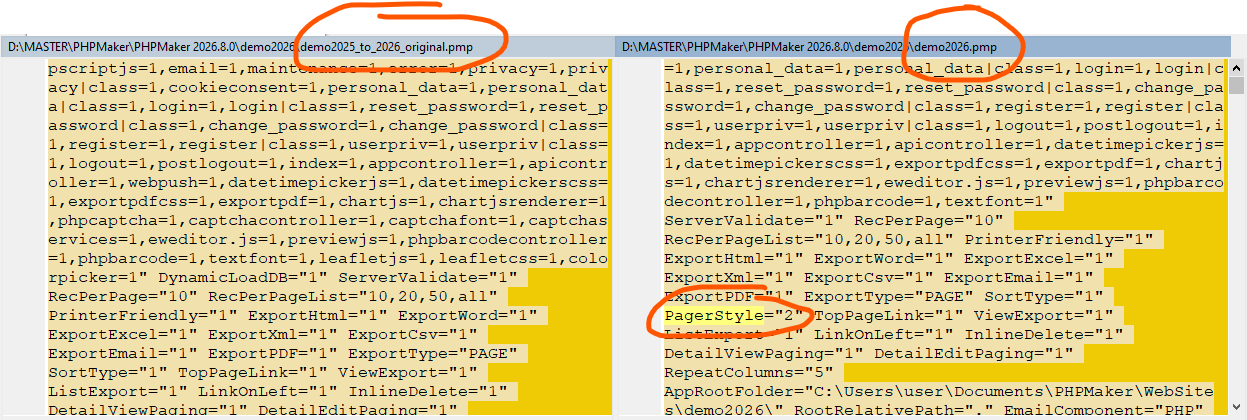
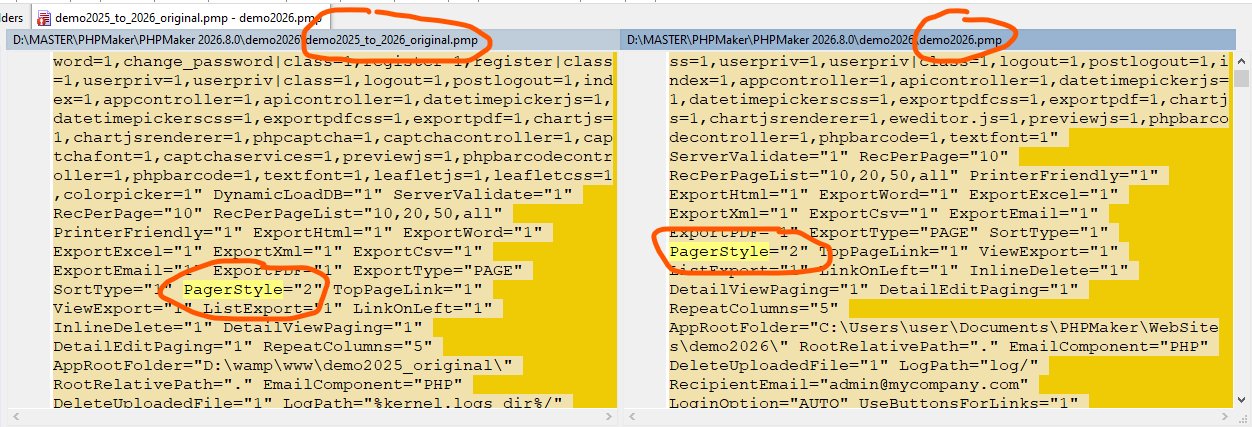
I did some investigation, by comparing the .pmp files, and it seems I found the cause of the issue…

As you can see, from the project that originally created by PHPMake v2026, there is one setting called PagerStyle that has value of 2.

This setting is not added into the project file that created by v2025 (although it has been saved properly by using v2026).

To overcome the issue, I then tried to add that PagerStyle=”2” setting into the project file that originally created by v2025 as follows:

After adding that setting, re-generating ALL the script files, and the issue has been resolved as follows:

Note that the behaviour of PagerStyle has changed in v2026:

  • if PagerStyle == 1 (NumericPager) in v2025 => PagerStyle = 2 in v2026

  • if PagerStyle == 2 (PrevNextPager) in v2025 => PagerStyle = 0 in v2026 (no "proximity")

Read Improved Pager.

I tried this scenario:

  1. Open the project by v2025, default option in Paging section style is NextPrev,
  2. Change the option to NumericPage, save the project by v2025, then close the project,
  3. Open the .pmp file by Notepad++, check the setting now is PagerStyle="1" (as expected),
  4. Open that project by v2026, check the Pager proximity, it is 0. Shouldn’t it be automatically converted to PagerStyle="2", according to the behavior in v2026 as you mentioned above?
  5. Since the default behavior for Pager proximity is always 0, then there is no global setting PagerStyle in the project file added, thus this will cause the issue as I mentioned above.

This is probably a conversion issue. You’d better report to the support email. In the mean time, just manually change the Pager proximity setting to “2”.