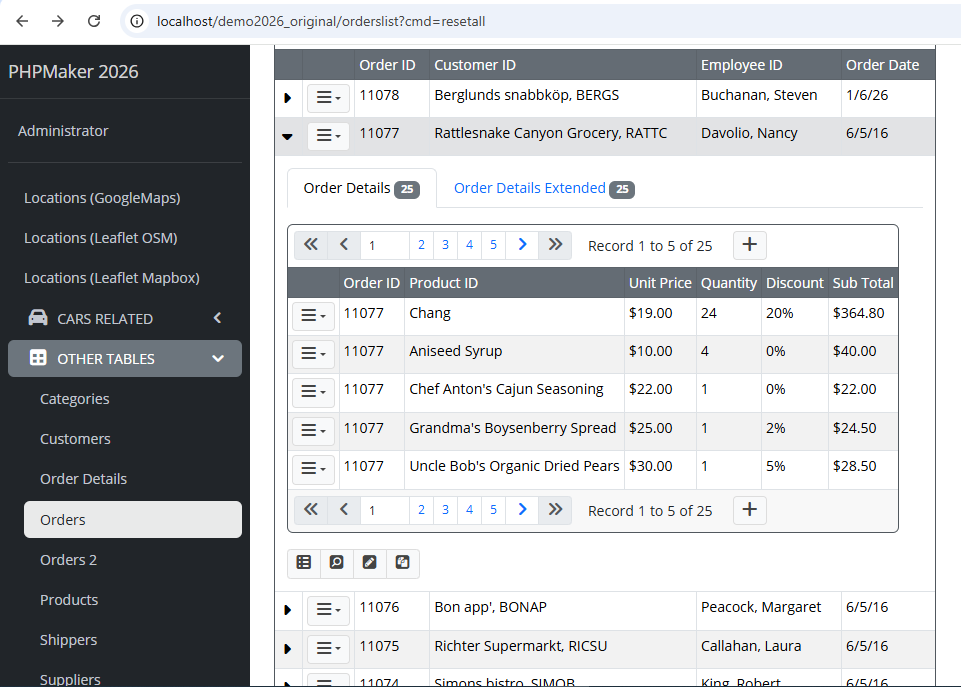
PHPMaker v2026.6 with Preview extension enabled.
You may reproduce the issue from demo2026 project as follows:
-
Open demo2026 project uses PHPMaker v2026,
-
Click on Tools → Extensions → Type: Detail Preview → @phpmaker2026/preview, make sure you have already enabled it,
-
After enabling it, click on Advanced tab → Tables → orderdetails, change 0 to 5 from PageSize column, then click OK to save the changes,
-
Re-generate ALL the script files as usual
-
Open the generated web application via browser, login by using username admin and password master
-
Go to Orders table, and then click on the row which OrderID = 11077, and you will see the Detail Preview row is expanded, so far so good,
-
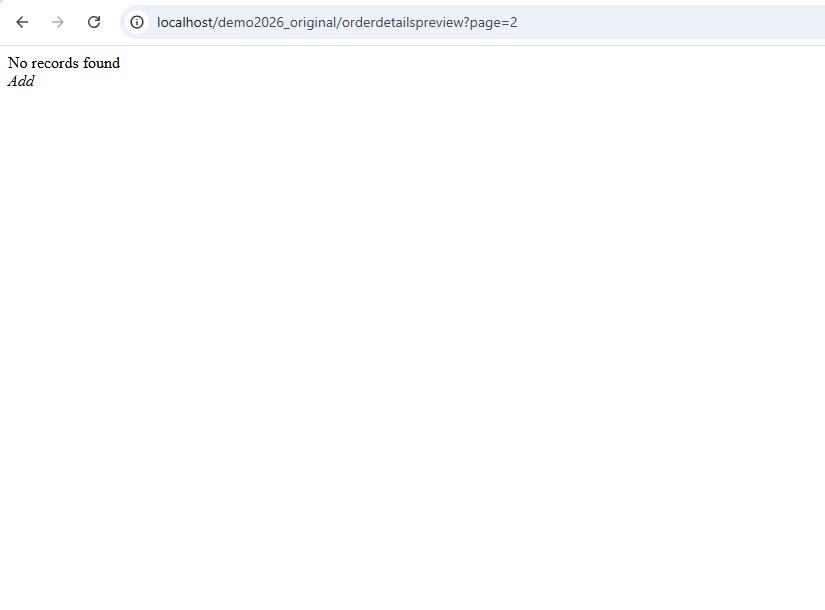
Click on Next button/link in Paging area of that Detail Preview, so the URL will become: http://localhost/demo2026_original/orderdetailspreview?page=2
-
Now here is the issue, you will see the content as follows: