Removed 2FA feature - looking for route still

disabling 2FA to investigate login issues… delete controllers folder completely, deleted log/cache and other content in there completely

still receiving 1. “Named route does not exist for name: login2fa”

can’t seem to locate any other cached folders?

and now trying to go back to 2fa is not working with the login system broken
cleared out “User_Profile” field

image

image

image

2FA finally removed, now

only administrat0r can log in, all other accounts error with:

If the user did not login by 2fa completely, the cookie still stores the incomplete status. Then if you remove 2fa, the user’s cookie still redirect user to the second factor authentication. You need to remove cookie for your site.

deleted cookies for all time for some accounts (edge/chrome), still same issue

image

admin account can login

update:
created a new user and issue still persists, I believe there’s an error in the code generated after the 2FA feature was disabled.

Whenever you see 500 internal server errror, you should enable Debug and check the error stack trace in the log file.

we cannot determine what happened after the 2FA was disabled (and re-enabled).

we did find this in the logs when a user tries to login, but this does not happen when admin logs ins

[Fri Jun 13 06:22:29.894415 2025] [php:error] [pid 382526:tid 382526] [client 192.168.0.4:58646] PHP Fatal error: Allowed memory size of 134217728 bytes exhausted (tried to allocate 4096 bytes) in /srv/www/htdocs/vendor/dflydev/dot-access-data/src/Data.php on line 268, referer: https://domain.com/login

also, when logged in as administrator, wasn’t there an option to reset the users 2fa?

image

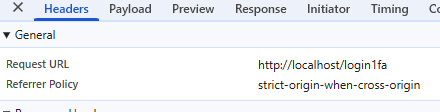
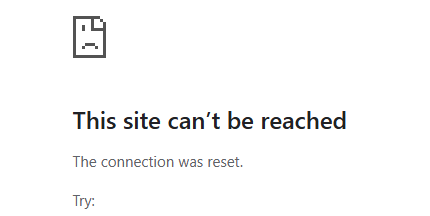
as well noticing it continiously tries to execute login1fa and appears to return

Content unavailable. Resource was not cached
POST http://localhost/login1fa net::ERR_CONNECTION_RESET

  1. If you disable 2FA, you better re-generate all scripts (not just the login pages) again, otherwise the security system and the login page still read the 2FA configuration and tries to post the first factor authenticator (login1fa).
  2. The 2FA login status is stored in cookie and session, not in the user table’s profile field, so you cannot reset in the user page page. User can logout and clear cookie to remove the status.
  3. The problem is probably due to the memory problem you posted, you may post the complete log (stack trace) for discussion.

this was done…

don’t believe its a cookie issue, 2fa disabled, project renamed and same issue persists (support suggested to rename project)

on the linux server logs.

[Mon Jun 16 18:05:35.381519 2025] [php:error] [pid 397838:tid 397838] [client 192.168.0.4:41064] PHP Fatal error:  Allowed memory size of 134217728 bytes exhausted (tried to allocate 262144 bytes) in **/srv/www/htdocs/vendor/dflydev/dot-access-data/src/Data.php** on line 268, referer: https://domain.ca/login

[Mon Jun 16 18:05:35.382007 2025] [php:error] [pid 397838:tid 397838] [client 192.168.0.4:41064] PHP Fatal error:  Allowed memory size of 134217728 bytes exhausted (tried to allocate 262144 bytes) in Unknown on line 0, referer: 
https://domain.ca/login

[Mon Jun 16 18:05:35.382037 2025] [php:warn] [pid 397838:tid 397838] [client 192.168.0.4:41064] PHP Warning:  PHP Request Shutdown: Cannot call session save handler in a recursive manner in Unknown on line 0, referer: https://domain.ca/login

this is all we can get, it goes into that loop and dies with no debugging messages, no console messages besides what was previously posted

how do you enable this stack trace that you mention?

The log file should contain more detailed log (stack trace) leading to the final error. Double check your php.ini settings, make sure they are properly set, do not skip. If the log file does not log more info, check the PHP’s log file (the one that you specify by error_log in php.ini).

made some progress:

after stepping through the login sequence…

it starts in the AuthenticationManager.php

            // create the authentication token
            $authenticatedToken = $authenticator->createToken($passport, $this->firewallName);

after runnng through various functions:

it appears the login routine gets into a loop in AdvancedSecurity.php

between functions:

public function getUserLevelHierarchy(int|string $userLevelId): array
public function getAllUserLevelsFromHierarchy(int|string|null $userLevelId): array

in particular the line

$userLevelSubIds = $this->getAllUserLevelsFromHierarchy($userLevel); // Add sub levels in getAllUserLevelsFromHierarchy() is causing the loop

so it looks like it is looping adding sub-levels – which the accounts don’t have they use a single level

the $userLevelId of these uses is 210
$userLevels[0] toggles between null and 210 on each iteration

changing the users id makes no difference

problem found.

they must have made a code change, the function does not recognize a single UserLevelID value set in the field.

in our table userlevelID is set to 210 – its a string field to support multiple values, but only a single level is used. its been this way in our code for years, never had to specify “|” with a single entry.

now the code doesn’t see a single level, unless you specifically add the value separator “|” so now its “210|” in the table, and the login works.

this also now breaks displaying your users table because of the “|” in the field, which is interfering the SQL statement.

i have sent this info to support to fix the code.