Select2 style

Hi everyone

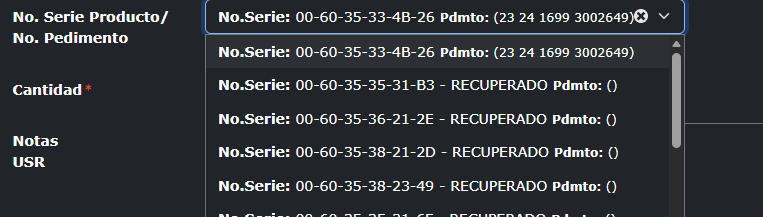
I need help with something. In one of the select boxes, when I click on it and the information expands, it displays it as follows:

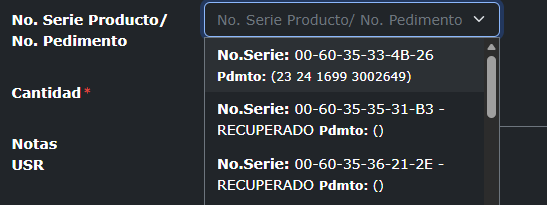
Then, for whatever reason, when I select one of the values displayed, the shape of the select box changes slightly in terms of how it shows me the information. It looks like this:

I honestly don't know why this happens, but it has always happened to me. What I would like to know is if there is any way to make it ALWAYS look like the second image, since, for my practical purposes, I can see more information displayed that way than in the first image.

My question is, how can I make it always look like the second image?
You may Inspect HTML element and add your own CSS styles to the select2 HTML element so that it is wide enough and the content does not need to wrap.

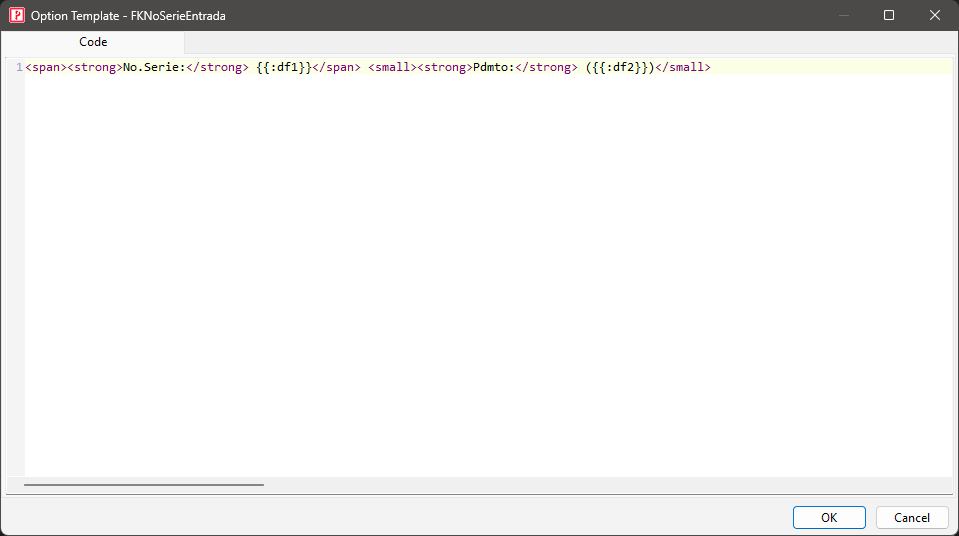
Alternatively, it seems that you use HTML for your option, you may add the text-nowrap class to your option.

Yes I’m using Option Template

In this column the option of Wrap its uncheck, I thought that add text-nowrap

The "wrap" setting is for text in the table cell only. If Select2 is used, the options will still be affected by Select2's styles.

You right, thank you, I see select2 have a min-width i just change min width value on css and it work, in my case was this:

#x_FKNoSerieEntrada + .select2-container {
min-width: 35em !important;
}