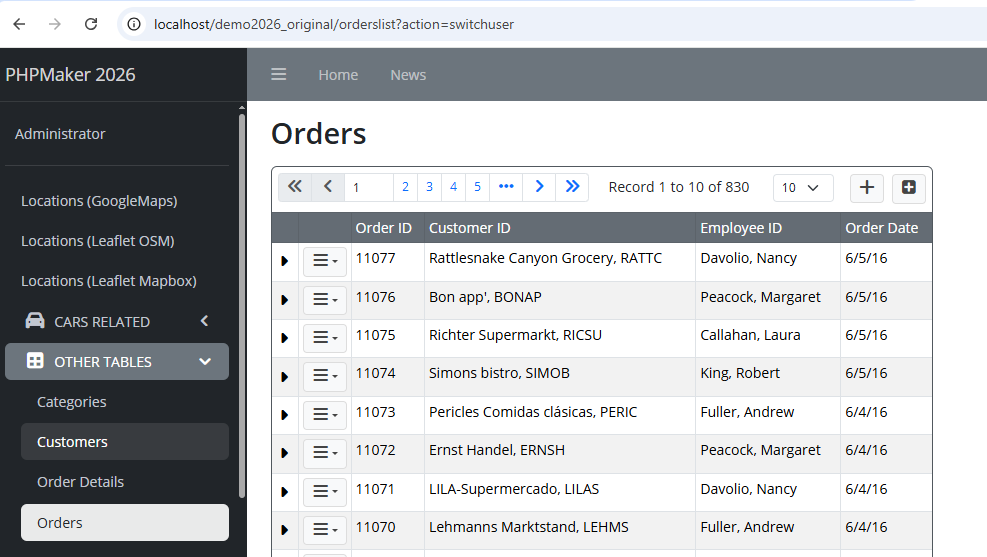
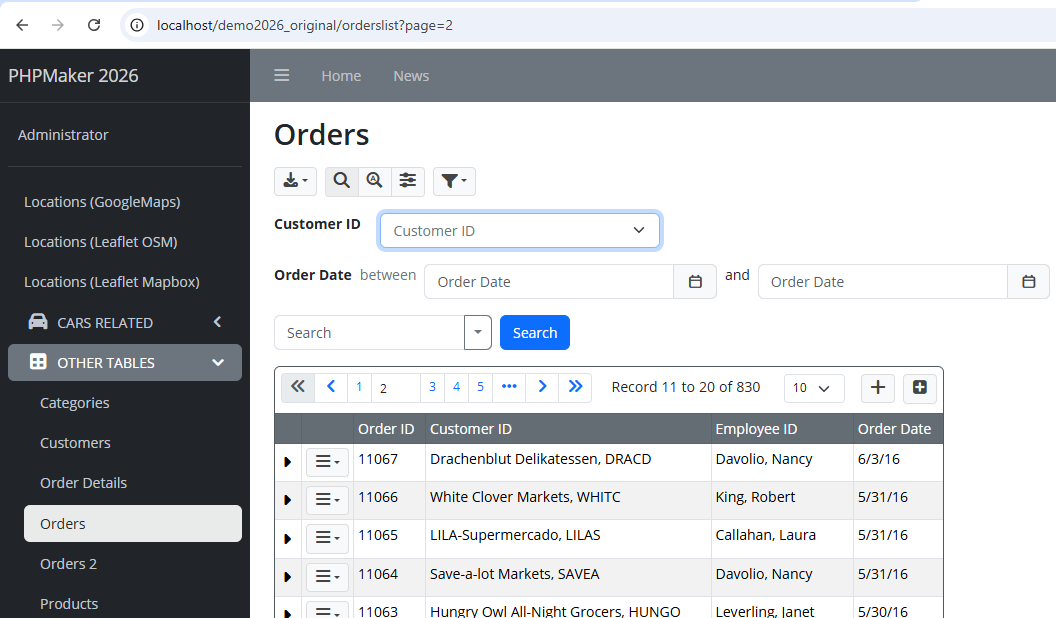
I found an issue regarding the usage of Start Page feature, after switching back user from non-admin user to admin user, then some features in the target List Page is missing.
Let’s use demo2026 project file, and follow these steps to reproduce the issue:
Open demo2026 project file using PHPMaker v2026.
Click on Generate tab, then from Start page section, enter: myStartPage
Go to Global Code under Server Events, and put this following code:
Re-generate ALL the script files, and clear cache the generated web application,
Login to the generated web application using username admin and password master,
System will redirect to the Employees List Page after successfully logged-in, as expected,
Click on Switch to nancy from the Employees List page,
System will redirect to the Orders List page, and it displays the success message You have switched to 'nancy', as expected,
Now let’s switch back to admin user again, then system will redirect to the Orders List page (instead of Employees List page if we see the logic from myStartPage function above), and also another issue is… we do not see the Search Panel and also the Breadcrumb Links above the table in that List Page…
Thanks to Support, after sending the issue, I got the answer that I quoted from them via email:
On 4/30/2026 5:33 PM, PHPMaker Support wrote:
1. Note that the switchuser=<user> can be add to any URL.
When you switch user at the employeeslist, the link add switchuser=<user> to current page so you go back to that page.
However, since the user (e.g. nancy) does not have permission to the employeelist, the user is redirect back to the default page / to see which page the user has permission to go to. Since your start page redirect the user to the orderslist page, the user lands there.
When you switch back, the link also add switchuser=_exit to current page, so the user (admin) goes back to the orderslist, in this case it does NOT need to go to the default page (admin has permissions to any page) so your function is not triggered.
2. The search panel was not shown because it is affected by the action=switchuser (it expects current action as "search"). We have fixed this. You can update template and try again.
Please note that the latest template fixed the issue as they mentioned above.
In addition, to resolve the redirect issue for admin user as I need just like the logic in myStartPage function above, then I just need to add the following code into Page_Render server event that belongs to the Orders List Page:
Also, make sure we have already given List permission for employees table to all the available user levels in that demo2026 project, so that the code above will work as expected.
Hopefully this will help to those of you who need the same logic as mine above.
Did you know that instead of putting the above code in the table-based Page_Render server event, we can change it by simply placing the following code in the Page_Rendering server event only?
This code below will be applied from all the List pages, so the logic for admin user in myStartPage function above working as expected.