PHPMaker v2026.9.
It seems table synchronization on table-basis does not truly detect if the field name already changed in database.
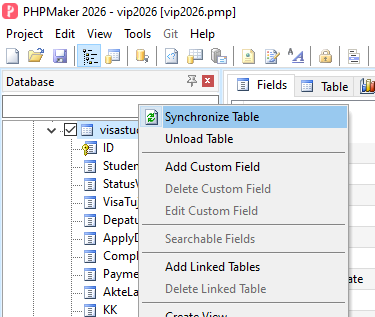
To reproduce the issue, assume you have already changed the field name in Database, after that, just right-click on that table from Database Pane, then click on Synchronize Table:
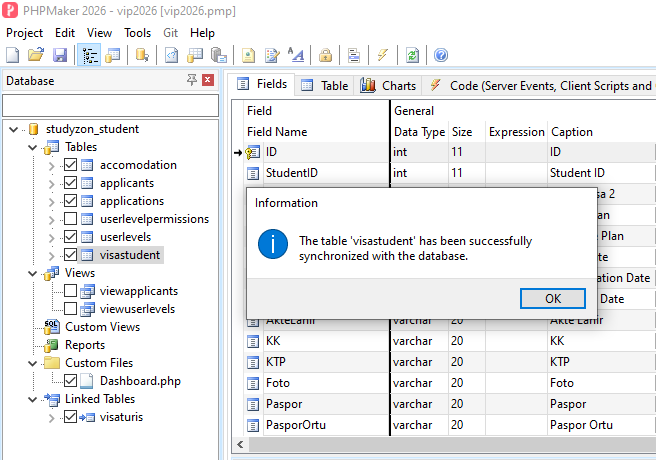
After that, it will display the message box like this:
Unfortunately, the change in database does not applied to the related fields in PHPMaker project.
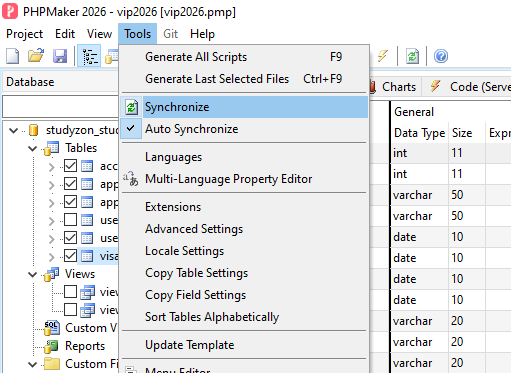
However, if I synch from Tools → Synchronize as follows:
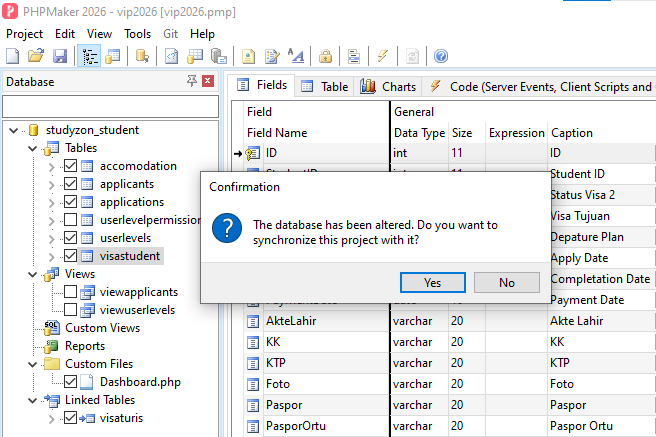
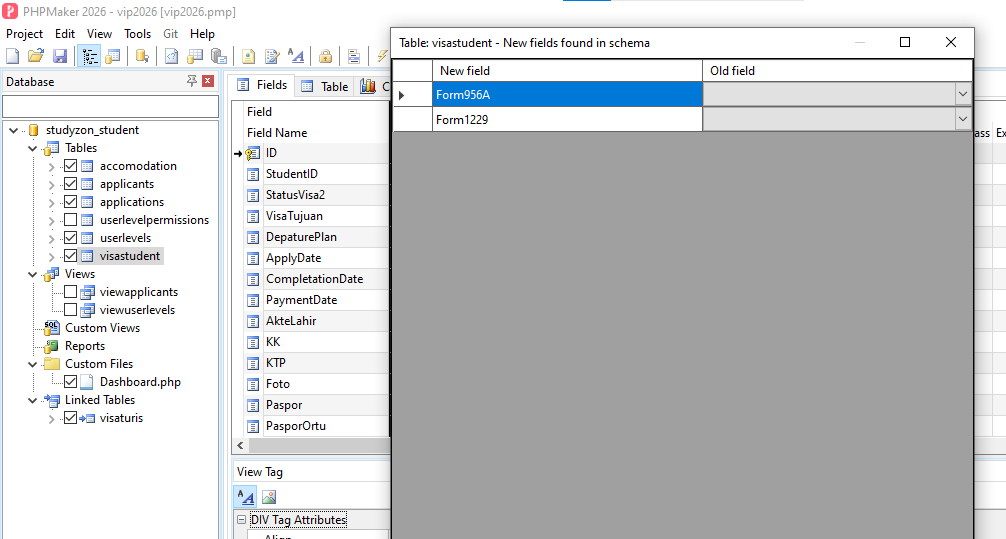
then system will detect the change as follows:
After clicking on Yes button from that message box, then system will display the related fields that already changed in database as follows:
Is it true that Synch on table-basis is not intended to detect the change of the field name in Database?
Synchronize Table works for me on PHPMaker 2026.9. The changed fields are detected and the New fields found dialog box does appear.
You’d better send your project/database to the support email for checking.
It works on project-basis if you click on Tools → Synchronize.
It does not work if you right-click on the table then choose Synchronize Table, although system will display information message that “The table ‘<table_name>’ has been successfully synchronized with database.”. But, there is no dialog box that will display which field(s) is (are) changed.
Please read again all my explanation above step by step.
I found another strange issue here. Hopefully this additional info can help you to investigate the cause of the issue.
Not sure whether the synch on table-basis does not work since my project also has a Linked Table. I tried to change the field name in that Linked Table, then I tried right-click on the Linked Table and then choose Synchronize Table, it detected the change and system will display the dialog box that contains the field name that changed in database.
But, if I right-click on the Table that use the connection NOT from the Linked Table, then the issue still remains.
I tested by right click on the Table and click Synchronize Table and did not encounter the problem you mentioned. The synchronization worked properly.
That’s why I suggest you better send your project/database to the support email.
Did you have Linked Table in your project? If so, have you compared the Synchronize Table between the table that uses Linked Table and the table without using Linked Table? If so, then you will know the exact issue as I mentioned above.
But, if your project does not have Linked Table, then you will not see the issue as mentioned before.
Well, I think I can narrow down the cause of the issue by simulating a simple project with two database connection; one for main connection, and the other for Linked Table.
I will send the project and database files to Support for checking. Thanks for your suggestion.
That fixed the issue. Thank you.